
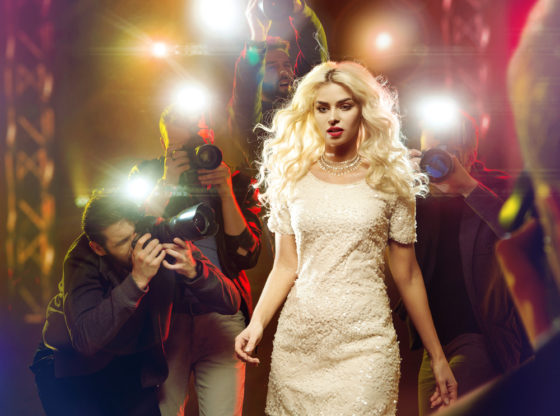
Putting together the perfect corporate event can be stressful and time consuming. How do you know exactly which touches are going to make your event just how you want it to be? What do your guests want to see and hear? The best way to enlist that “wow” factor at any event is to use celebrity speakers to give your event that spark that it would otherwise be missing. The right celebrity can enlist the energy in the room that you desire, leaving you with that momentum to continue on with your event, ensuring that it is a success!
Who Should you Use?
The first question is which celebrity should you enlist? Yes, there are numerous celebrities out there that offer their speaking services, but not all of them are going to be the right fit for your event. Start by thinking about the message you want to portray at the event and how it blends in with the theme of your business and work from there. It is easy to think “ooh – I love Celebrity X, so I want him to speak at my engagement,” without considering the values and considerations of that celebrity. If they do not properly align with the beliefs of your company, the use of celebrity speakers could backfire. On the other hand, choosing a carefully selected celebrity that has the same beliefs and offers a value towards your event’s mission statement can skyrocket the success of your event, whether you are catering to employees that feel “required” to attend the event or clients that you want to impress.
Have a Plan
No matter how big the celebrity is that you are hiring, you need to have a plan or the entire process can fall apart in your lap. When you know the theme and focus of your event, you will want to talk about those plans with the celebrity (or his agent). Even better, take the time to research various celebrities online to see what their specialties are as well as to view their previous speaking engagements. This will give you a better idea of what to expect if you hire them to speak at your event.
It is better to have all of the details of the event and what you expect in writing so that there are no unpleasant surprises when the time comes for the celebrity appearance. You will want to talk about things like the atmosphere, appropriate topics, cost, and what level of joking is considered appropriate for your event. As you probably know, some celebrities have a knack for cracking jokes, whether appropriate or inappropriate – you need to make it clear what boundaries you need to set for your event in order for it to be considered a success. If you have everything in writing, including your budget, you are more likely to stick to what you need rather than what you want once you start researching the celebrity speakers that are available.
Use a Professional
Putting together an event is stressful enough without having to deal with celebrity speakers. Rather than trying to negotiate contracts and talk about important details about that day, you can use a professional to line things up for you. This enables you to focus on the other details that are necessary to pull off a successful event while ensuring that your priorities are covered with the speaker. The speaker is obviously an important component of your event; in fact, it is often the headline of the event, but everything else needs to fall into place as well or the entire process could be a flop. This ensures that not only will you have a perfectly matched speaker, but you will also be able to stay within your budget without feeling star struck and finding yourself agreeing to whatever the price is, regardless of the fact that it is outside of your budget.
Celebrity speakers bring incredible value to your event when it is done right. If you are looking to hire a celebrity, make sure that you have a plan before you start your research. This will enable you to ensure your event goes off the way that you want it to – as no one can read your mind and assume what you want. Everyone needs to be in on the plan, which should include your theme, mission, and appropriate atmosphere. Make sure to include the celebrity in on all of these details. Whether you use a professional to help you plan and negotiate the use of a celebrity or you do it on your own, you need to make sure that everyone is on the same page to ensure the overall success of your event.
Sheza Gary has been a Project Strategist since 2009 and also involved in the launching of startups and tech companies in New York for over 5 years. She has keen interest in writing her own experiences about business plans and upcoming business supporting technologies. She loves public speaking.